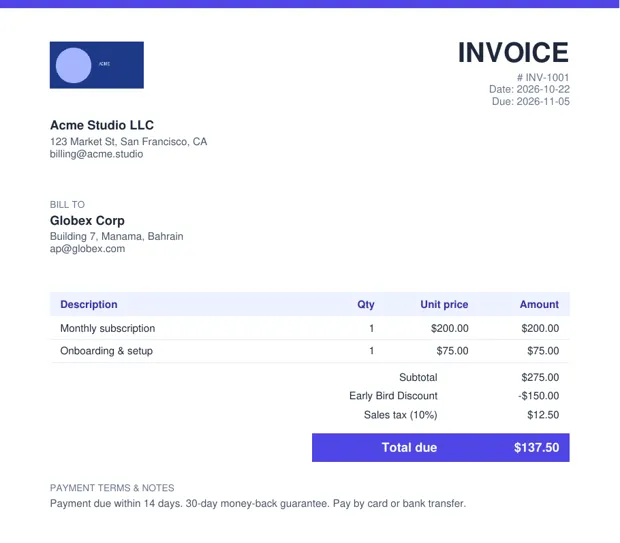
How do I show a discount on an invoice?
List items at full price, then add a discount line (fixed amount or percentage) with a clear label such as "Early Bird Discount", before tax is calculated. The subtotal, discount and total are shown separately.
FAQ
Is the discount applied before or after tax?
In InvoiceSnap the discount is applied to the subtotal before tax, which is the usual practice for trade discounts.
Can I show a percentage discount?
Yes — switch the discount type from Fixed to %.
Is InvoiceSnap free?
Yes. You can fill in the invoice and download a watermarked preview PDF free with no signup. A clean PDF is $4 one-time for 7 days of unlimited invoices (USDC; card coming soon).
Is my data uploaded?
No. The PDF is generated in your browser; your client and pricing details are not sent to a server.
More invoice templates
Freelance invoice template (fill online → PDF) · Independent contractor invoice template · Hourly invoice template (hours worked) · Consulting invoice template · Invoice template for international clients · InvoiceSnap home