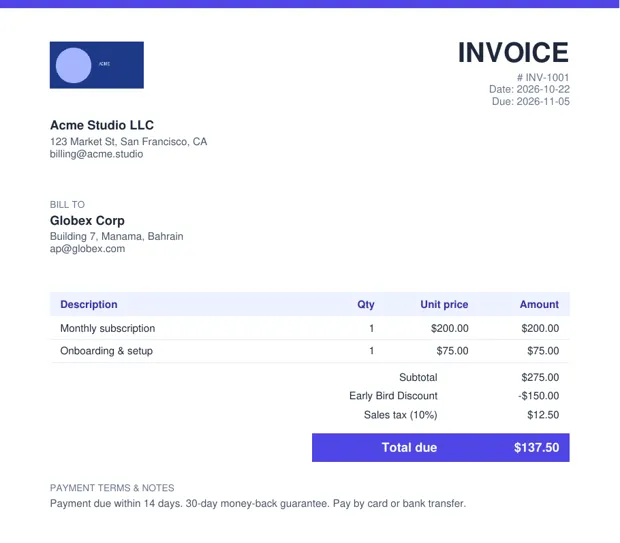
How do independent contractors invoice clients?
List labor (hours × rate) and materials as separate line items, add sales tax if your jurisdiction taxes materials, set a due date, and include your payment details. Keep a copy for your records and taxes.
FAQ
Should I put my tax ID on a contractor invoice?
In the US, contractors usually provide a W-9 separately rather than printing an SSN on invoices; an EIN is fine to include if you have one.
How do I bill hours on an invoice?
Put the hours in the Qty column and your hourly rate in Unit price; the total calculates automatically.
Is InvoiceSnap free?
Yes. You can fill in the invoice and download a watermarked preview PDF free with no signup. A clean PDF is $4 one-time for 7 days of unlimited invoices (USDC; card coming soon).
Is my data uploaded?
No. The PDF is generated in your browser; your client and pricing details are not sent to a server.
More invoice templates
Freelance invoice template (fill online → PDF) · Hourly invoice template (hours worked) · Consulting invoice template · Invoice with a discount line · Invoice template for international clients · InvoiceSnap home